

What gets logged
- Agent steps
- Run steps
An agent step captures a structured session in addition to any stdout: each
model message, thinking block, tool call, and tool result becomes its own entry,
along with the provider, model, token usage, and cost. The dashboard expands
these into a readable transcript rather than a wall of text — you watch the
agent work, not just its stdout.
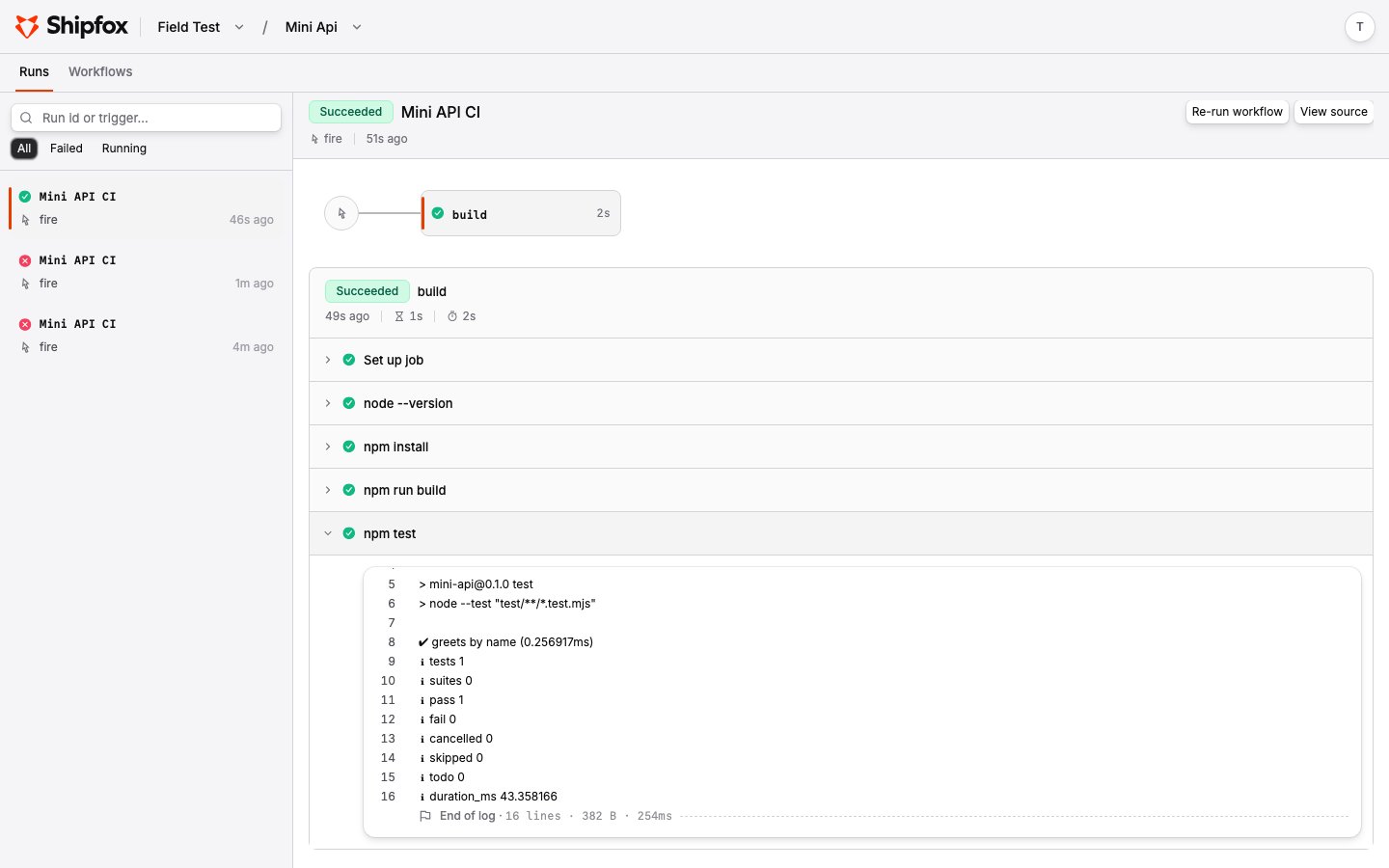
Grouping output
Inside arun step, wrap output in named groups with ::group::<name> and
::endgroup:: markers, each on its own line. The dashboard renders every group as a
collapsible section titled with its name, so a long step reads as a tidy outline
instead of a wall of text.
Live tail, then persisted
Logs move through two phases:- Hot (live). As a step runs, the runner streams output to the API in chunks. The dashboard tails it with a cursor, so you see output within a couple of seconds of it being produced.
- Cold (persisted). Once a step’s stream closes, Shipfox compacts the logs into a single compressed file in object storage (the garage / S3 bucket from installation). Later reads are served directly from storage.
Agent config on the run detail
For agent steps, the run detail also shows the resolved provider, model, and thinking level that actually ran — after workspace defaults were applied — plus targeted guidance when a step failed because a provider wasn’t configured, a model was unavailable, or credentials were invalid. See Model Providers for how that config is resolved.Limits and retention
Logs are bounded so a runaway step can’t produce unbounded storage or cost:- Per-job budget. Each job has a log budget (32 MiB, growing over time). Past it, further output is dropped and the step is marked truncated rather than failing the run.
- Retention. Persisted logs are kept for a default of 90 days, then deleted from both the database and object storage.
- Truncation is explicit. If output was dropped — because the budget was hit or a runner died mid-step — the stream is flagged truncated so you know the logs are incomplete.
The budget, retention window, and storage bucket are configurable when you
self-host. See Self-Hosting for the object-storage setup.
Related pages
Jobs & Steps
Where run and agent steps are defined.
Model Providers
Providers, models, and how agent-step config is resolved.