A cool article

Noé Charmet · Founder
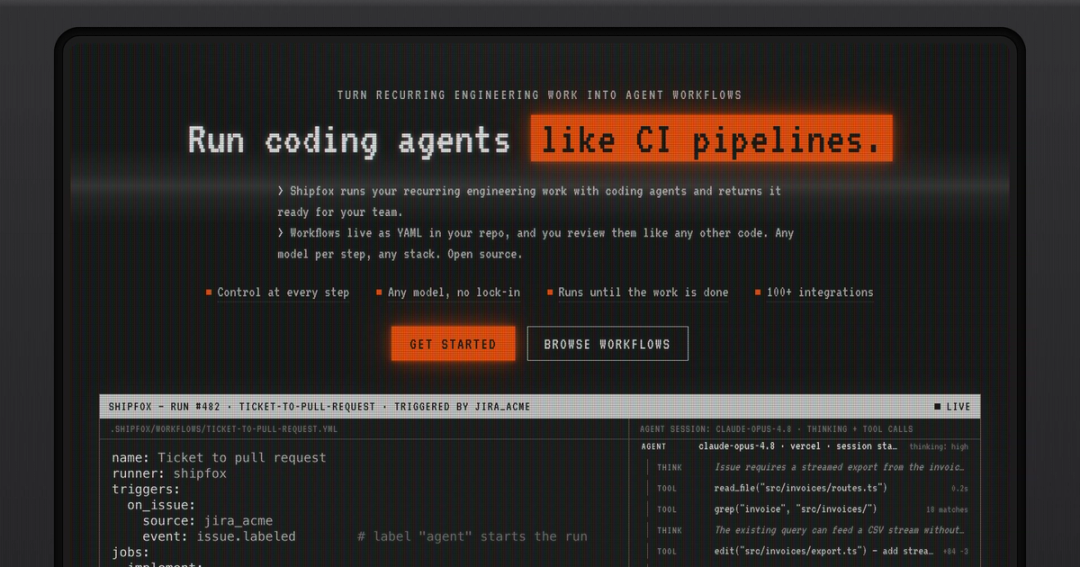
This is a demo article. It exists to show how the blog renders each kind of content, so the text is filler with a Shipfox flavour. Replace it before the blog goes live.
A paragraph can carry strong text, emphasis, inline code such as restart_from: build, an external link to the docs and an internal link back to the blog.
Workflows live in your repo
Shipfox runs recurring engineering work with coding agents and returns it ready for your team. A workflow is a YAML file in your repository, so you review it like any other code. The example below starts a run when an issue gets the agent label.
name: Ticket to pull request
runner: shipfox
triggers:
  on_issue:
    source: jira_acme
    event: issue.labeled        # label "agent" starts the run
jobs:
  implement:
    steps:
      - run: npm ci
      - key: build
        model: claude-opus-4.8
        prompt: >
          Implement ${{ event.title }} as described in
          ${{ event.url }}. Open a pull request when done.
      - run: npm test
        gate:
          on_failure:
            restart_from: build
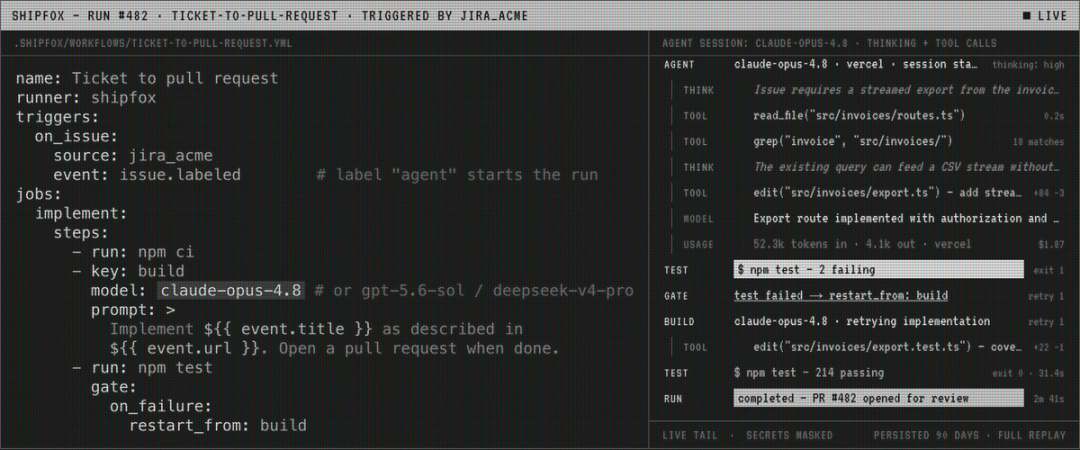
The gate at the end is the interesting part. When the tests fail, the run goes back to the build step and the agent tries again with the failure in hand.
What people say
This quote is a placeholder. A real one would say something specific about the work an agent took off the team's plate.
Quotes sit between paragraphs with a rule on the left. Short ones read best; a quote that runs past three lines usually wants to be a paragraph.
Lists
- Control at every step: you decide what each agent can touch and where a human signs off.
- Any model, no lock-in: choose the model, and its cost, for each step.
- Runs until the work is done: loops, waits, and agents mixed with exact commands.
Numbered lists work the same way:
- Add the workflow file to your repository.
- Label an issue to start a run.
- Review the pull request the agent opens.
More code samples
Code blocks are highlighted by language. A shell block has no file name:
# Install dependencies and run the checks the gate relies on
npm ci
npm test -- --reporter=dot
A TypeScript block with a file name gets a header strip:
type Invoice = {id: string; total: number; issuedAt: Date};

// Yields one CSV line at a time so a large export never sits in memory.
export function* toCsv(invoices: Iterable<Invoice>): Generator<string> {
  yield 'id,total,issued_at';
  for (const invoice of invoices) {
    yield `${invoice.id},${invoice.total.toFixed(2)},${invoice.issuedAt.toISOString()}`;
  }
}{
"run": 482,
"workflow": "ticket-to-pull-request",
"status": "completed",
"retries": 1,
"duration_seconds": 161
}Callouts and wide images
Images keep their own proportions, so a wide, short one works as well as a tall one:

Wrapping up
That covers every block the editor offers today: two heading levels, paragraphs with inline marks, quotes, both list types, three kinds of code block, two callout tones and images with captions.