
Mar 16, 2026
SSH Into Your CI Runner: Debug GitHub Actions in Seconds
Working on CI pipelines can sometimes feel unnecessarily slow.
Not because the problems are complex.
But because the debugging loop is painful.
You make a small change to a pipeline.
A step fails.
So the loop begins:
Push → wait for CI
Fail
Edit → push again
Wait again → fail again
Five iterations later the issue is fixed.
What should have taken 2 minutes ends up taking 30.
Because debugging CI today mostly means reading logs and guessing.
At Shipfox we asked a simple question:
Why can't developers just SSH into the CI runner?
So we built it.
SSH into your CI runner
Shipfox runners now support direct SSH access during CI execution.
When a job starts, the SSH command appears directly in the job logs.
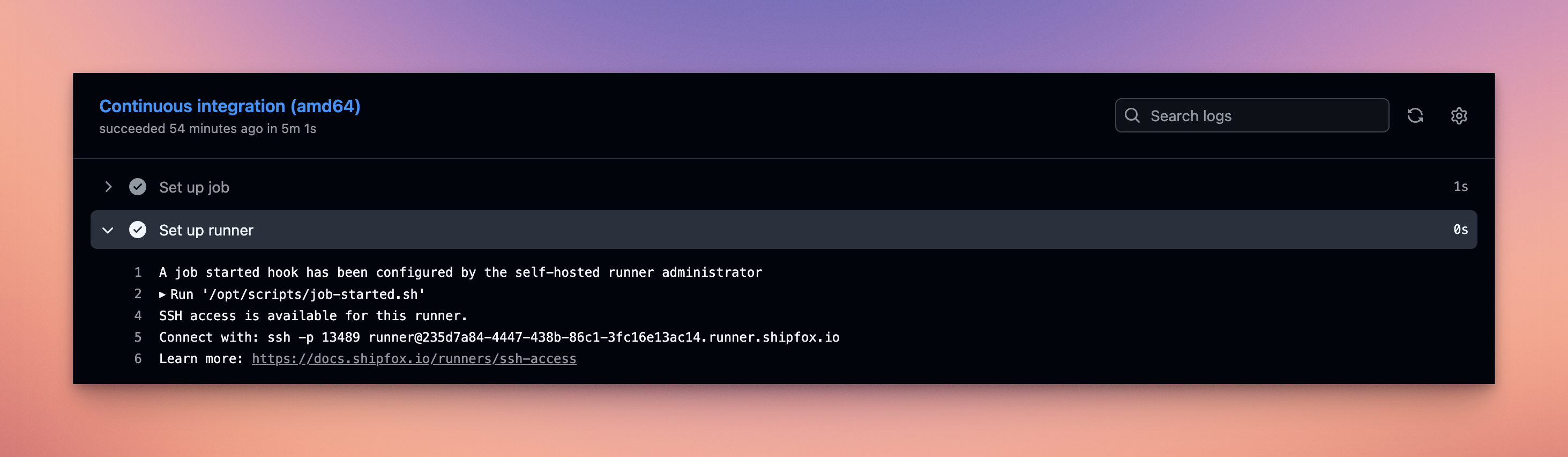 Shipfox exposes an SSH command directly in the CI logs, allowing developers to connect instantly to the running CI environment.
Example:
You are now debugging CI the same way you debug locally: with a shell.
Copy/paste the command and you land inside the runner environment.
After connecting, you land directly inside the ephemeral Shipfox runner with a welcome screen showing runner metadata and labels.
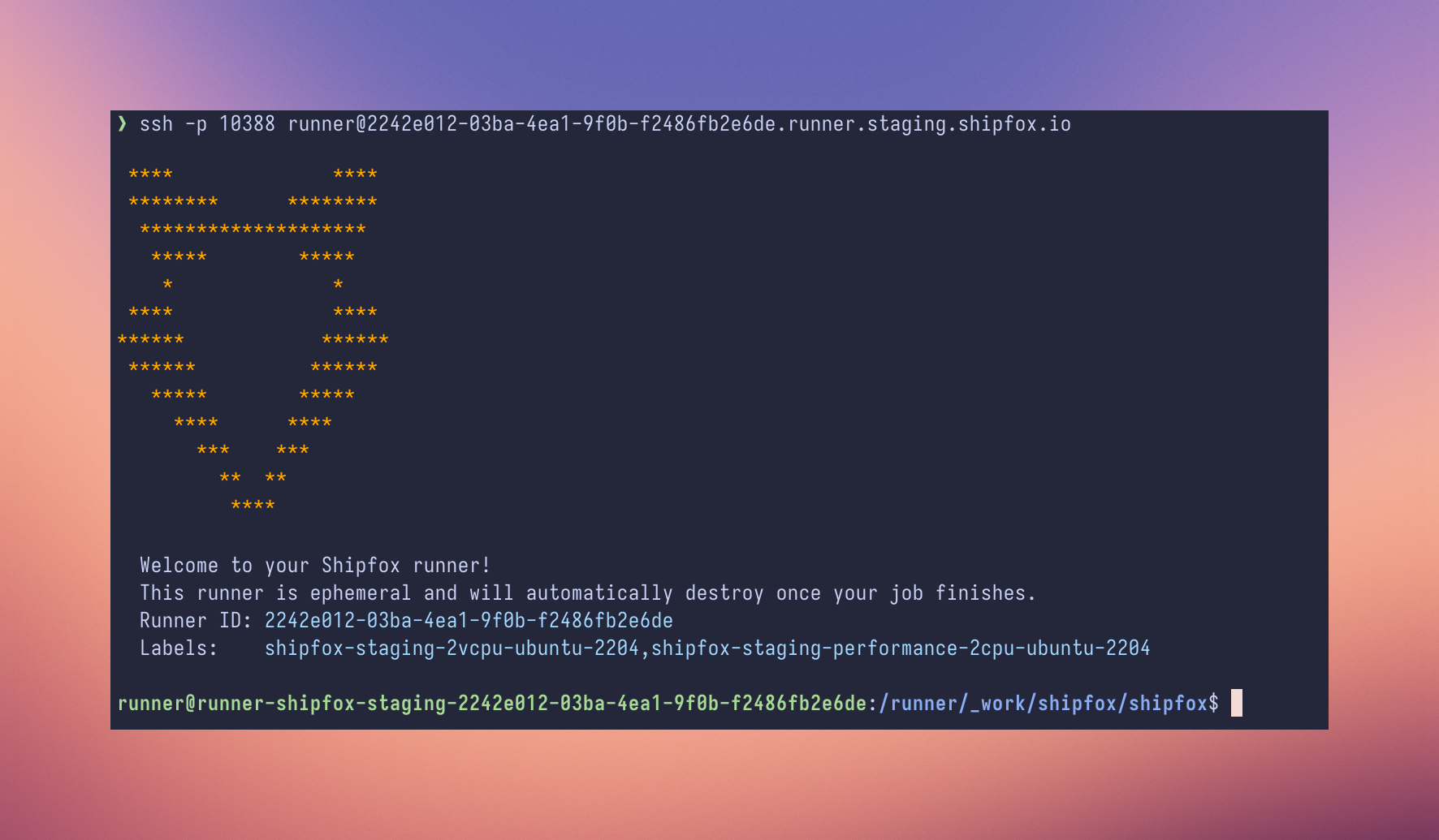
Example welcome screen:
You now have a shell in the CI environment:
From here you can:
inspect files
run commands
test scripts
debug environment issues
Instead of waiting minutes between iterations, debugging becomes interactive.
Debugging a CI failure interactively
Once connected, you can inspect the environment where the job runs.
For example:
This is especially useful when debugging:
complex Bash commands
dependency installation issues
missing files or incorrect paths
environment differences between local and CI
Instead of guessing from logs, you can investigate the failure directly.
Keeping the runner alive for debugging
Normally when a job fails, the runner stops immediately.
Which means SSH access disappears.
A simple trick is to keep the runner alive when a failure occurs:
If a step fails, the job pauses for 30 minutes, giving you time to SSH into the runner and investigate.
Security and architecture
Allowing SSH access to CI infrastructure raises an obvious question:
How do you do this securely?
Our design follows a simple rule:
CI runners are never exposed to the public internet.
Instead we use a reverse SSH architecture.
TCP bastion
Shipfox operates a TCP bastion service.
Each runner is dynamically assigned to the bastion when a job starts.
Reverse SSH from the runner
The runner establishes a reverse SSH connection to the bastion.
This means:
the runner initiates the connection
no inbound ports are opened
the runner stays private
Users connect through the bastion using the SSH command printed in the job logs.
SSH key authentication
Access is controlled with SSH public keys.
Users register their key in Shipfox and authorized keys are injected into the runner at runtime.
Without a valid key, connection is impossible.
Try it
SSH access is now available on Shipfox runners.
Full documentation and implementation details:
https://docs.shipfox.io/runners/ssh-access
If you’ve ever spent 30 minutes debugging a CI pipeline change that should take 2 minutes, you’ll probably wonder the same thing we did:
Why didn’t CI systems have this from the beginning?
Accelerate your CI with Shipfox
Try for free| Authors | Thierry Abalea Co-founder & CEO |
| Share |    |